What is a float and why is it important?
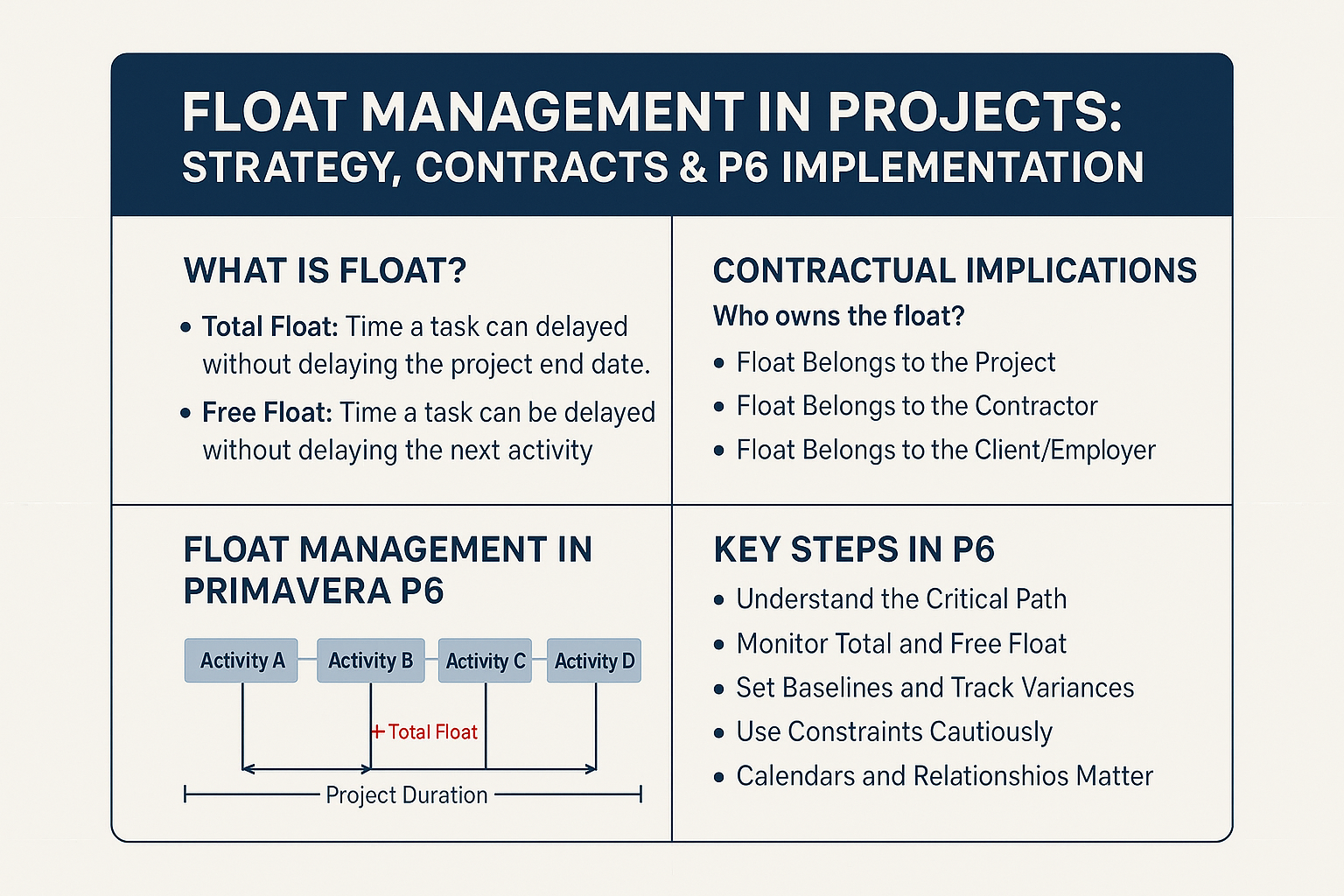
There are generally two types of float:
- Total Float Slack time
- Free Float Float
The float is particularly crucial in complex multi-contractor projects where multiple schedules interconnect. It is a Shared resource — and when it is poorly managed, disputes can arise regarding its “owner”.
Contractual implications: who owns the float?
Float ownership is a key risk management issue in construction and engineering projects. Three main approaches exist:
- The float belongs to the project (most common case) it is usable by all, on a first-come, first-served basis
- The float belongs to the contractor Only the one who generated the float can use it
- The float belongs to the client / principal the client reserves the float to absorb their own delays
Standard contracts do not always explicitly define the ownership of the float:
- The FIDIC Red Book Does not directly address the notion, leaving room for interpretation
- Contracts NEC facilitates collaboration but requires clarification in contractual documents
- Contracts AIA / EJCDC generally consider the float as a shared resource, unless otherwise stated
Best practice clearly define the management and ownership of float within the contract or project controls plan to avoid disputes.
Float management in Primavera P6
Primavera P6, a go-to tool for planning, offers advanced features for tracking and managing float.
Key steps for managing float in P6:
- Understand the critical path Utilise la méthode du chemin critique pour identifier les activités à flottement nul
- Follow Total and Free Float Show corresponding columns or filters
- Define a baseline and track deviations detect float erosion over time
- Use constraints with care : Rigid constraints (“Must Finish On”) distort the float calculation
- Mastering calendars and relationships poorly configured logic or schedules skew the results
Expert advice: use the function “Longest Path” rather than limiting ourselves to float = 0 to identify the true critical path in complex schedules.
Strategic considerations for project teams
- Early communication Establish a float management policy from the outset
- Tracking developments Analyse the impact of modifications and change orders
- Traceability : document all use of the float
- Collaborative approach : use the float for the overall benefit of the project, particularly in fast-track or design-build
Conclusion
The float is not a simple technical planning indicator – it is a strategic lever who protects the project deadlines.
However, it must be understood, mastered, and contractually framed. Tools like Primavera P6 enable efficient management, but must be supplemented by clear contractual clauses and transparent communication.
By combining technical rigour and contractual alignment, project teams can fully leverage float to deliver their projects more reliably – and more profitably.
Do you have any experiences or questions about float management? Let's discuss best practices.
 Français
  English (UK)
  Español
  Italiano
  Deutsch
  Nederlands